

Jucheng WIA multi-terminal visual broadcast control system
● Standardized operating environment ● Visual mobile control ● Scene-based professional functions ● Highly integrated & open ● Humanized control experience ● Modular system architecture
Classification:
key word:
Jucheng WIA multi-terminal visual broadcast control system
Jucheng WIA multi-terminal visual broadcast control system
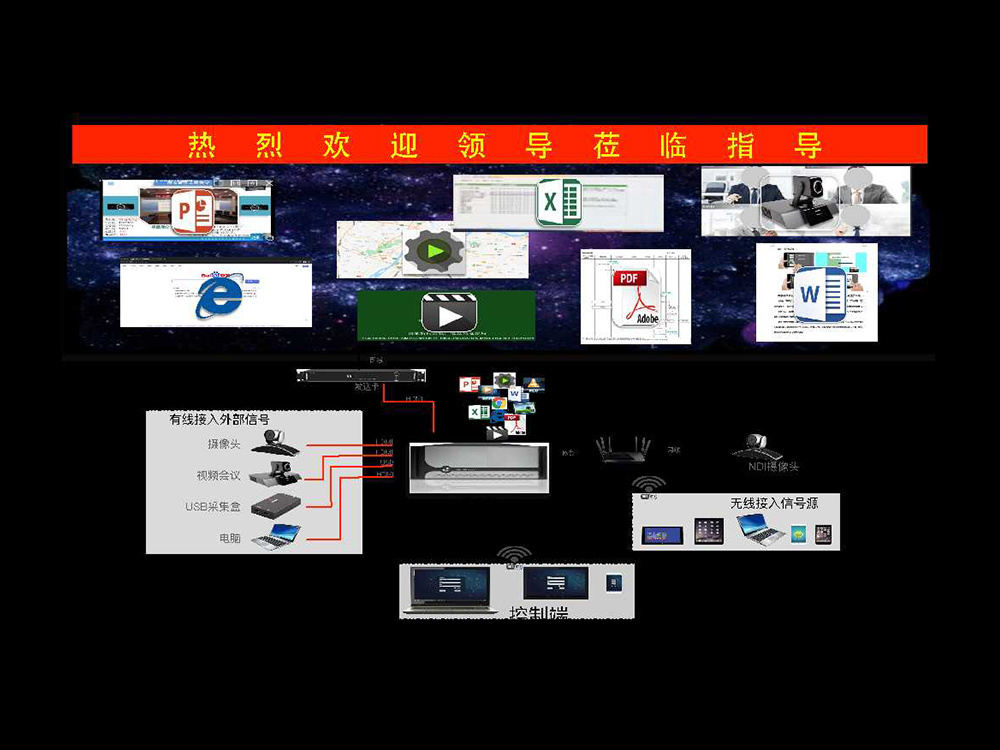
Features of Jucheng WIA system
● Standardized operating environment ● Visual mobile control ● Scene-based professional functions ● Highly integrated & open ● Humanized control experience ● Modular system architecture
Standardized operating environment
Windows 10 native ecosystem
● 64-bit Enterprise, Professional
The graphics card is straight out, and the system is more concise
● Directly connected to the sending card
● Direct docking splicing processor
Easy to implement, maintain and upgrade
● Standardized hardware
● Standardized system
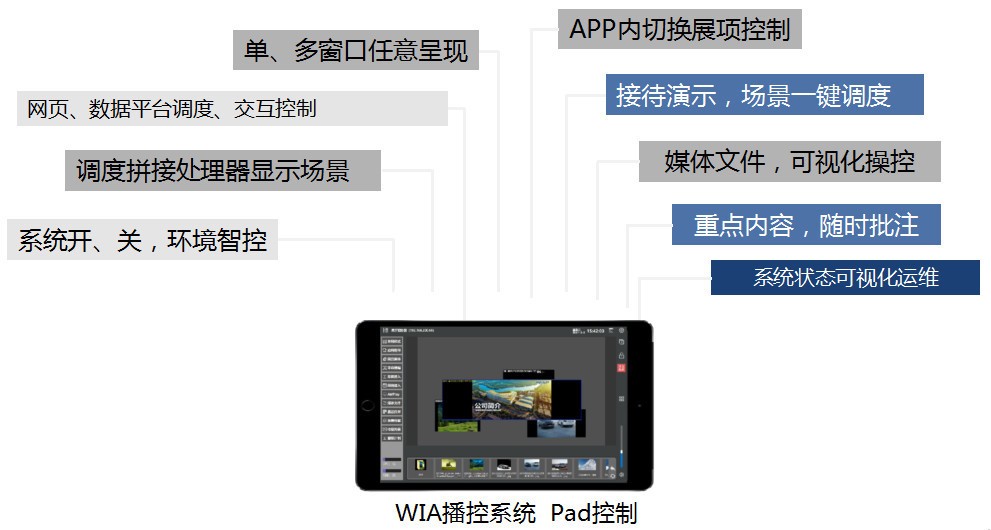
Visual mobile control
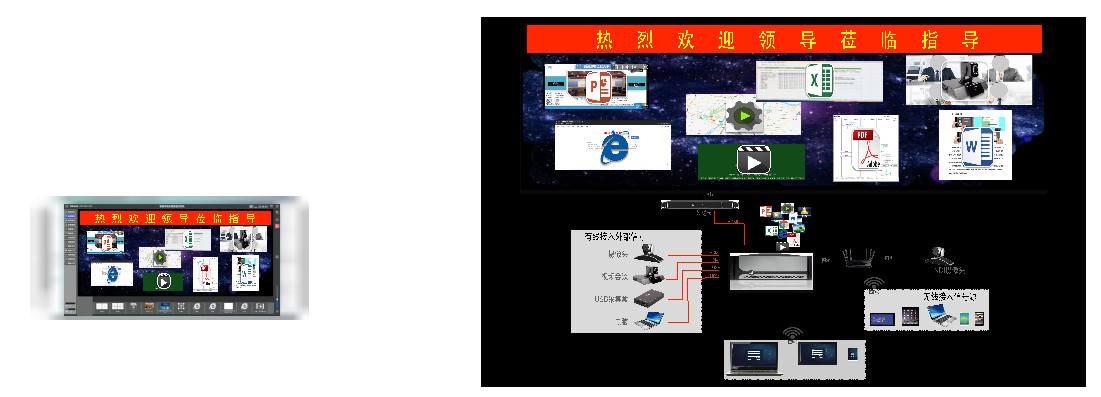
The client echoes back the content displayed on the large screen in real time

Client gesture control media playback status
PPT, picture PDF page turning, video fast forward and rewind operation
Window zoom in volume up Window zoom out Volume down
Highly integrated & open
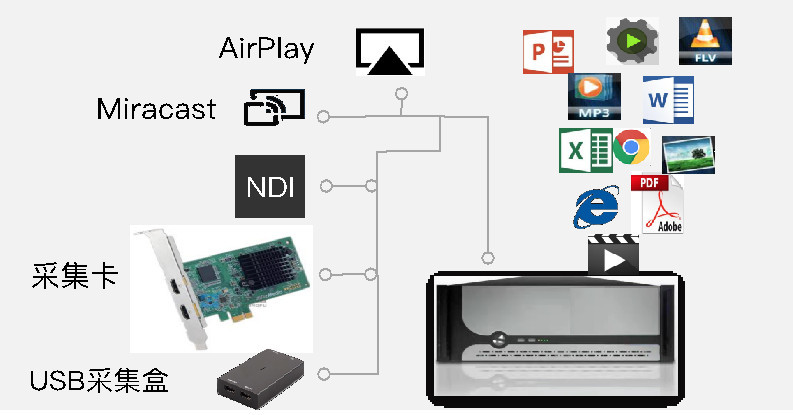
Multi-format, multi-window decoding display
● Compatible with the original ecological wireless projection protocol: Miracast, AirPlay
● Network stream protocol compatible: NDI, ONVIF, Rtsp, MMS
● Acquisition device compatibility: acquisition card, USB
● Media format support:
● Video, picture, audio, Office, WPS, PDF, web page, application, subtitle
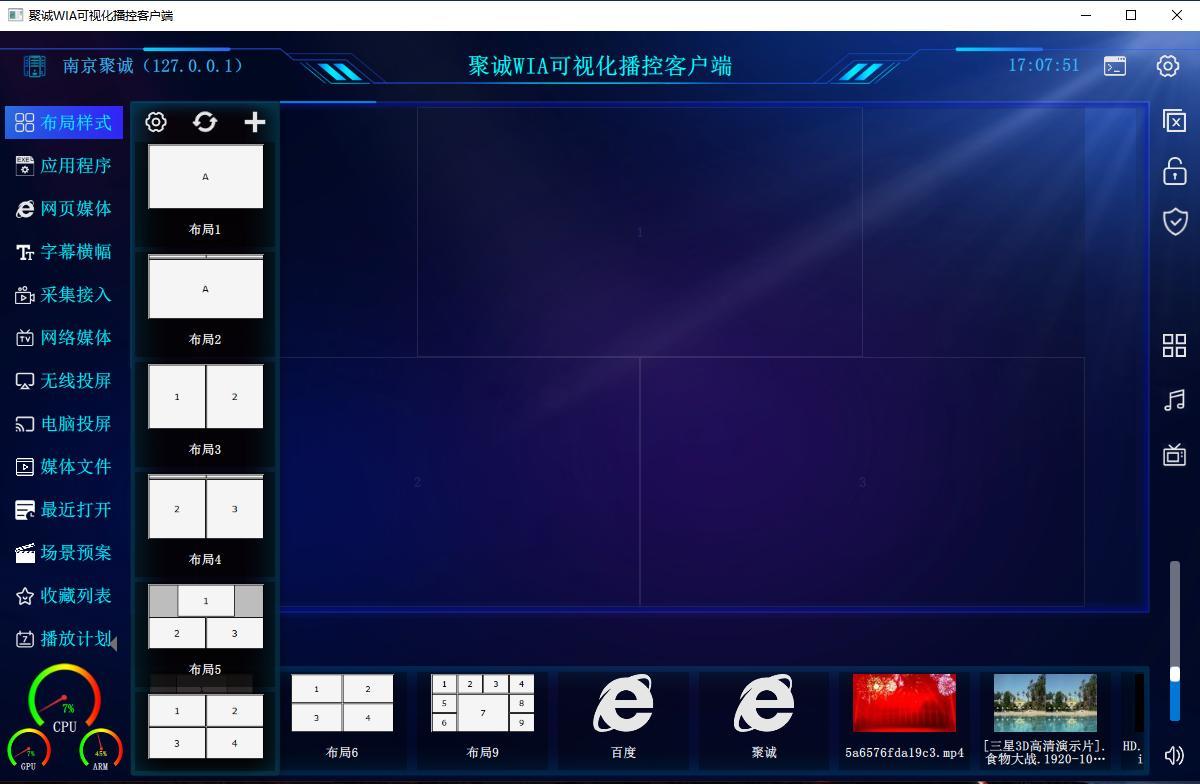
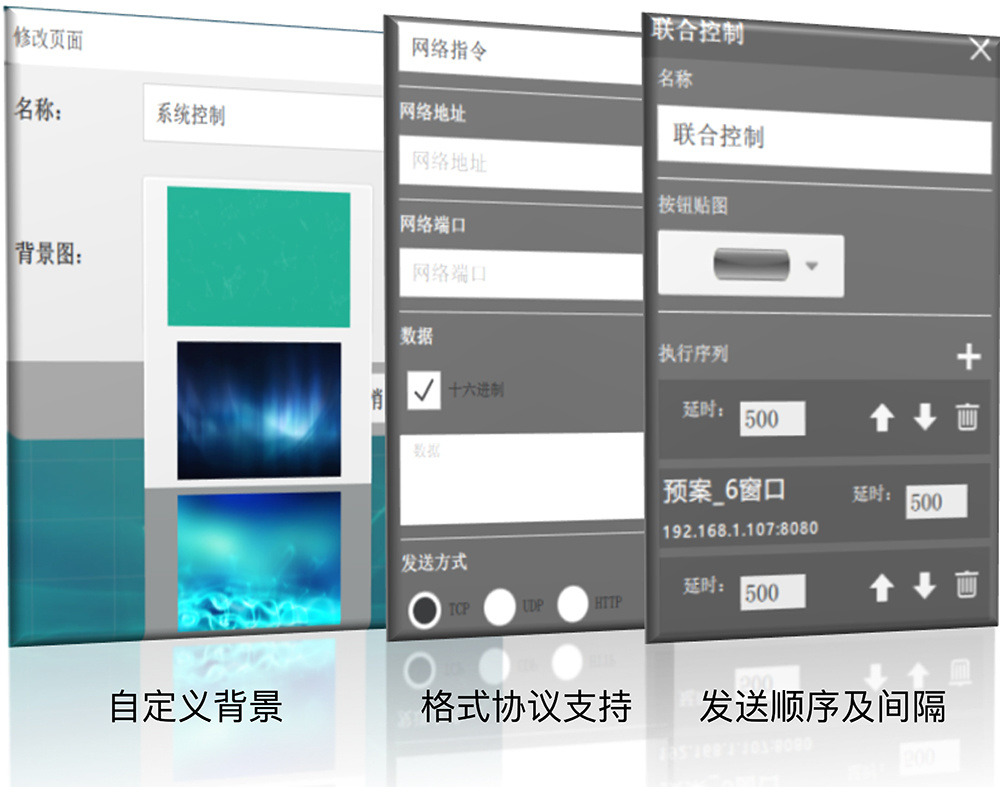
Layout design Network control
Humanized Control Experience
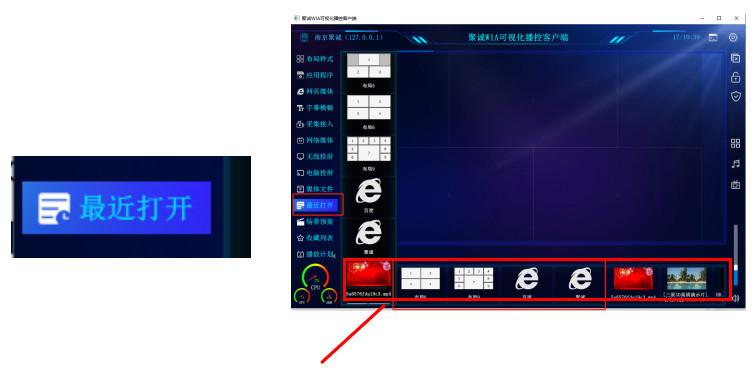
recently opened
● Based on frequency of use ● Latest use time ● Automatically include: layout styles and files

Customize the shortcut bar
● Long press the resource list icon ● It can be automatically switched to a resident resource list
client adaptation
● Android Pad, mobile phone, Windows, Apple
Scenario-based professional functions
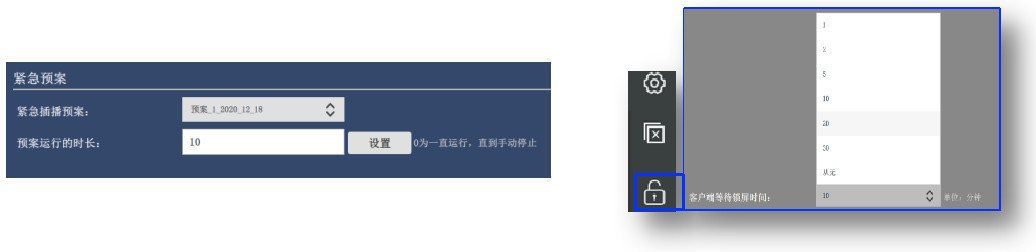
emergency break
● One-click broadcast emergency scenario plan
● Automatic and manual stop
● Necessary to deal with emergencies

Smart Play Management
● Start up and play specified content
● Automatically play on schedule
● Necessary for exhibition halls, welcome guests, and advertising media screens
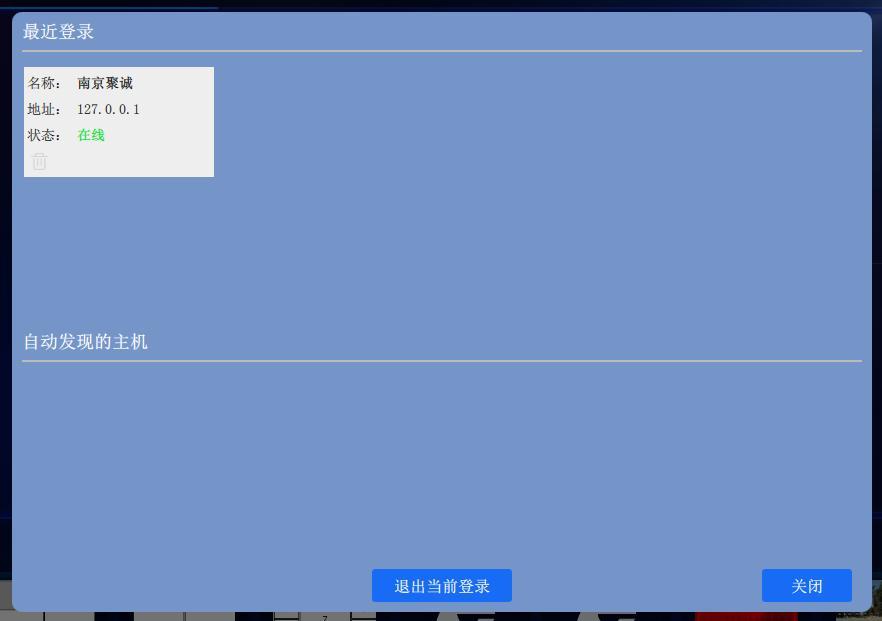
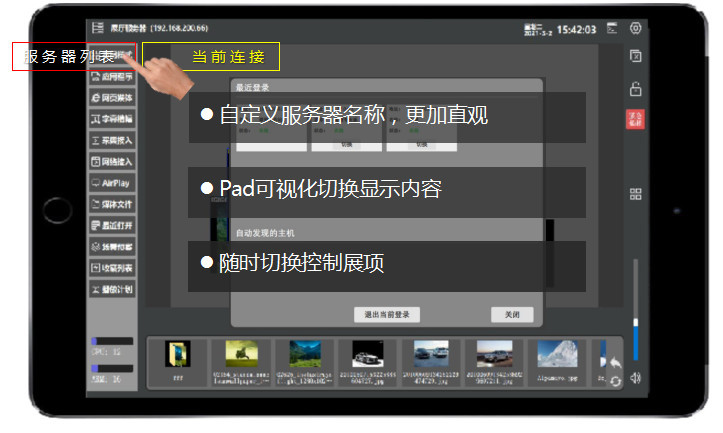
Centralized server management
● Automatically discover LAN content servers
● Real-time preview of server status
● One-key switching display control
● Necessary for multi-display scenarios
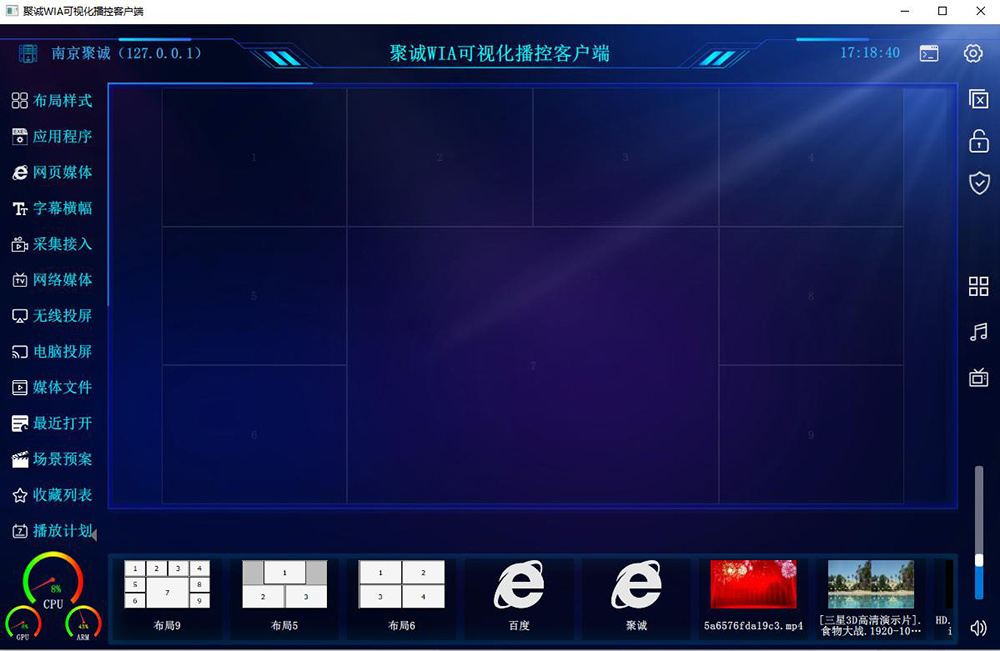
Customize system functions
● Modular design
Client automatic setting interface
● Automatic retrieval system function
● Automatically adapt to the client interface
One scene one interface
● the same client
● Adaptation of functions in different scenarios
Application Scenario
meeting room, lecture hall
● Arranging the meeting process
● One-key switching
Exhibition hall, welcome screen
● Arranging the reception presentation process
● One-key switching
● Key content, highlighted display
accusation center
● Orchestration usage scenarios:
● Daily work, reception demonstration, emergency display
● One-key switching
● Key content, highlighted display
Big Data Display Center
● Customize the data display page based on IE
● Orchestration usage scenarios:
● Daily work, reception demonstration, emergency display
● One-key switching
● Interactive control of IE, key content, highlighted display
meeting room, lecture hall
● Standardized operating environment ● Visual mobile control ● Scene-based professional functions ● Highly integrated & open ● Humanized control experience ● Modular system architecture
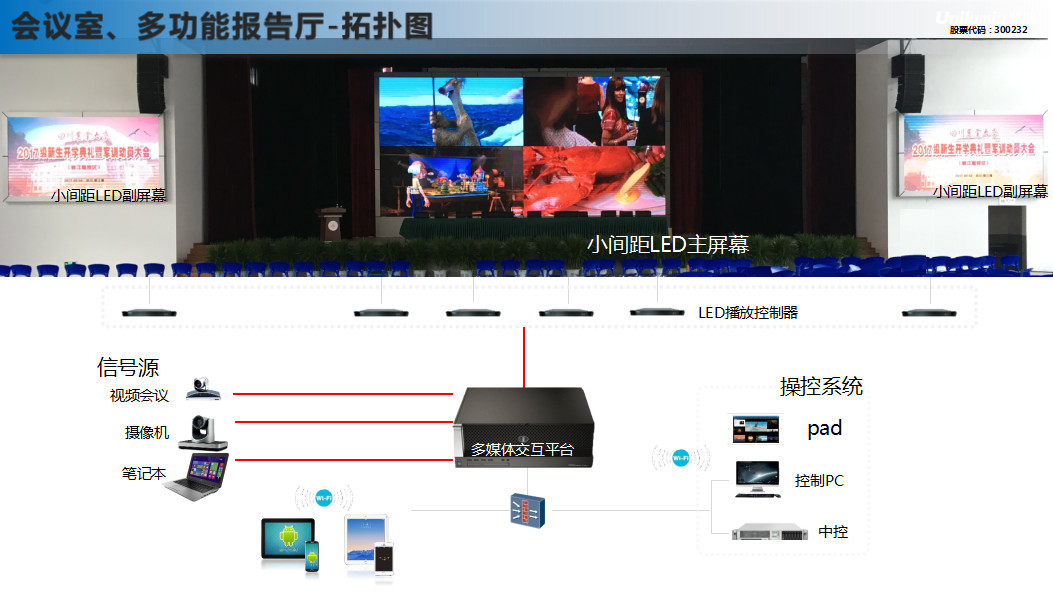
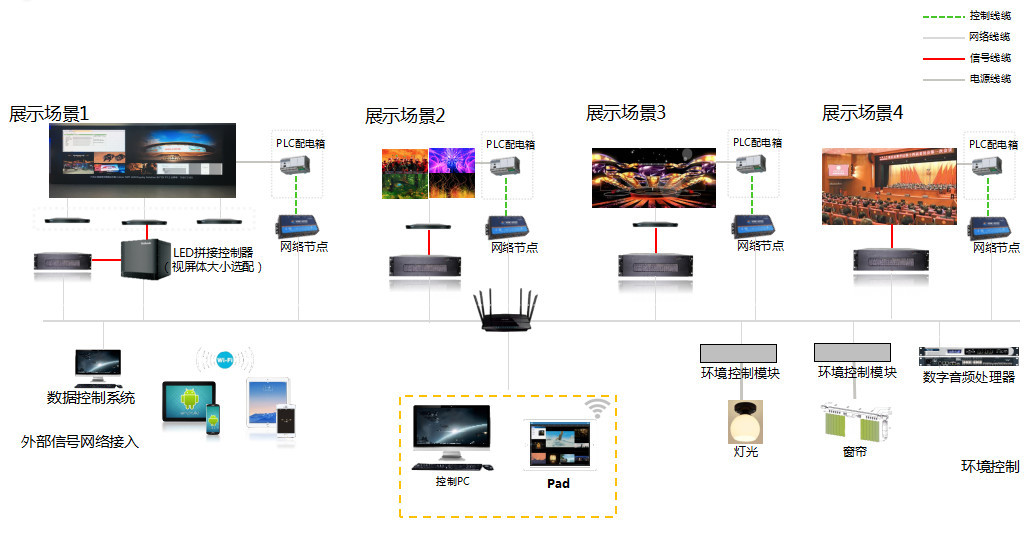
Showroom - single screen display
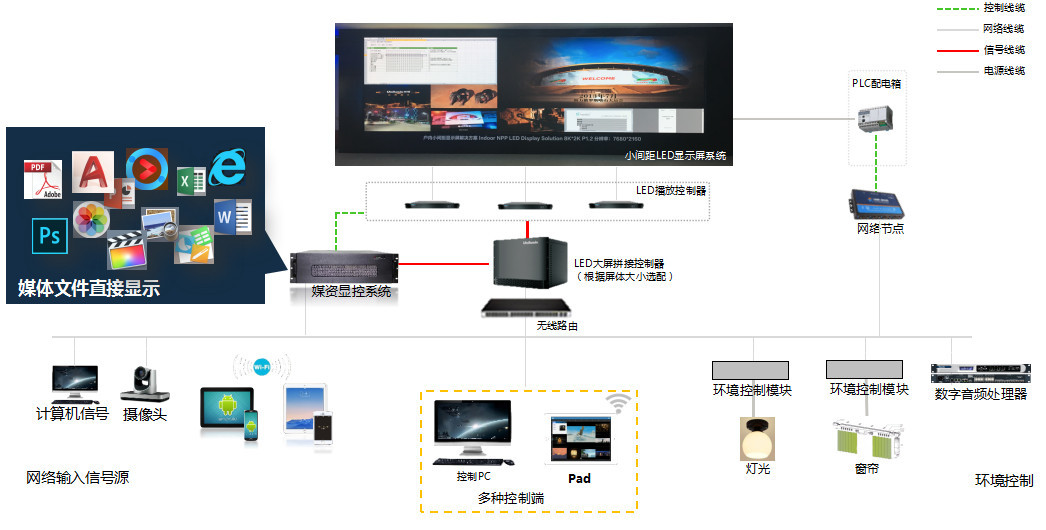
Exhibition Hall - Multiple Exhibits
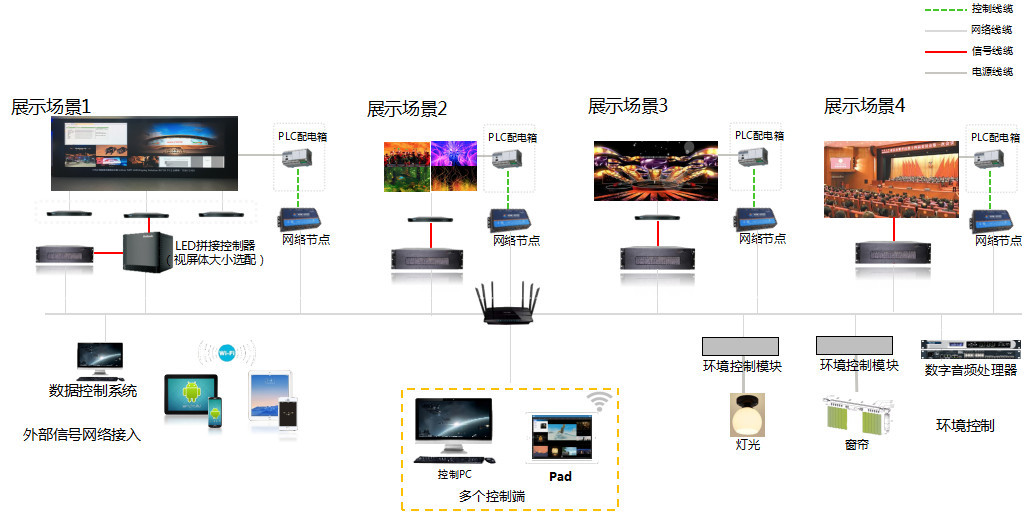
Exhibition hall - control of multiple exhibition items, flexible switching
Exhibition Hall - Multiple Exhibits


ONLINE MESSAGE


Official account
LED sprite
Nanjing Jucheng Electronic Technology Co., Ltd
Mobile:025-84527485
E-mail:453865088@qq.com
Address: No. 5 Yonghe Road, Yangjiang Town, Gaochun District, Nanjing City